Bee Shrimp Aquarium Free Demo Checklist
A structured Steam demo test for performance, camera comfort, aquascape samples, lighting, interactions, and purchase confidence.
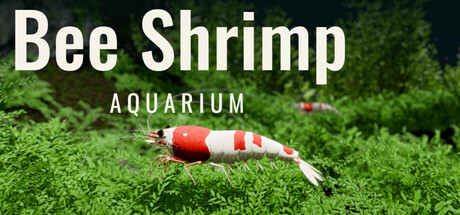
Bee Shrimp Aquarium offers a free Steam demo beside the full purchase for app 5472200. The demo is the cheapest way to answer the only questions that matter before you spend money: Does it run smoothly on your PC? Does pure observation feel rewarding? Are the camera tools comfortable enough to leave running as a desktop companion?
This checklist turns a casual demo click into a twenty-minute evaluation. It does not invent hidden demo codes — there are still no in-game redeem codes. Store context lives on the Steam & Demo Hub. Hardware floors live on System Requirements. After you buy, continue with Getting Started.
Before you download
- Open the live Steam page and confirm the Demo button is present.
- Skim minimum specs: Windows 11 64-bit class OS, i5-8400 class CPU, 8 GB RAM, GTX 1660 6 GB class GPU, about 5 GB storage — details on System Requirements.
- Note the current price widget. Launch carried a 15% introductory sale (about $4.24 from a $4.99 list). Promo clocks expire; verify live numbers on Steam & Demo Hub and Out Now & Launch Sale.
- Decide what you are testing: performance only, vibe fit, or stream/desktop backdrop potential.
If your PC sits far above minimum and you already love aquarium ambience games, you may still want the demo simply to confirm the observation fantasy matches the trailer.
Performance checklist
Launch the demo once and leave a tank running for several minutes.
- Frame pacing feels stable while the camera is idle.
- Orbiting or auto camera does not hitch every few seconds.
- Thermals and fan noise stay acceptable on a laptop.
- No blocking shader stalls after the first load.
- You can alt-tab to a browser or document without a long freeze.
If anything fails near the hardware floor, stop and re-read System Requirements before blaming the genre. If performance is fine, continue — comfort matters more than raw FPS for this title.
Camera comfort checklist
The demo should let you judge whether rotate, pan, zoom, and auto tools feel natural.
- You can frame a close-up of a grazing shrimp without fighting the mouse.
- Wide views still show a readable aquascape silhouette.
- Auto camera rotation is smooth enough to ignore during work.
- Favorites or viewpoint cycling (if exposed in the demo build) does not induce motion sickness at a medium interval.
- You can imagine leaving the game on a second monitor for an hour.
Deep input notes: Controls & Camera. Desktop/stream workflows: Desktop Streaming. Comfort presets after purchase: Best Settings.
Aquascape sample checklist
Launch ships 12 aquascapes in the full game, with more planned in future updates. Demo builds may expose only a subset — Steam page text and the demo itself are the authority for what is unlocked in the trial.
While you play the demo:
- Note how many aquascapes you can actually open.
- Visit every available scene at least once.
- Mark which silhouettes you would favorite for daily idle (moss, bonsai, marimo, leaves, waterfall, and others).
- Confirm you are okay with preset tanks — there is still no free plant/rock placement.
Full scenic vocabulary for the release set: Aquascapes. Preference lists: Aquascape Rankings.
If the demo only samples a few tanks, do not assume the missing ones are cut from the full game. Check Steam descriptions and Launch Notes for the twelve-at-launch count.
Lighting checklist
You should be able to evaluate the three moods even in a short session:
- Bright — patterns and moss detail stay clear.
- Sunset — warmth feels pleasant, not muddy on your monitor.
- Moonlight — late-session comfort without crushing contrast entirely.
Flip all three on the same aquascape before judging the game. Lighting opinions expand on Lighting Rankings.
Feed, ripple, and pause checklist
Active toys are few on purpose. Test them once each:
- Feed once and watch shrimp gather.
- Click the water surface for a ripple and note the reaction.
- Pause animation for a still frame, then resume.
- Confirm you do not need constant clicking to enjoy the tank.
If you feel bored without management systems, that is useful data — breeding and water quality are not in the design. Read the Review Hub before buying. Interaction details: Feeding & Interaction.
Customization limits checklist
Demo builds can lock or trim cosmetic menus. Verify what you can change:
- Shrimp count (and whether a maximum is shown per aquascape).
- Patterns (full game advertises 5).
- Colors (2).
- Sizes (3).
- Background color and water-sound volume, if exposed.
Write down anything grayed out. When a control is missing, check the live Steam page and demo notes rather than assuming the full game lacks it. Purchase unlock details and sharing notes stay on Steam & Demo Hub. Cosmetic depth after buy: Customization.
Demo vs full game — what we can say honestly
Known full-game launch facts:
- Released November 20, 2026 on Steam by TRANAZ
- 12 aquascapes at launch; developer confirmed more aquascapes planned
- Lighting: bright, sunset, moonlight
- Cosmetics: 5 patterns, 2 colors, 3 sizes
- No breeding, no water quality, no free placement
- Streaming allowed without prior permission
- Launch sale 15% / free demo available
What may differ in the demo (verify on Steam if unclear):
- Number of playable aquascapes
- Whether every cosmetic option is unlocked
- Session length or menu access limits
- Save behavior compared with the full product
If Steam does not document a difference, treat the demo as a feature sample and confirm remaining details on the store page before purchase. This wiki will not invent a fake demo feature matrix.
Pass / fail decision guide
Buy with confidence if:
- Performance is stable on your hardware.
- Camera idle feels pleasant.
- Preset aquascapes and three lighting moods already scratch the itch.
- You like watching more than managing.
Wait or skip if:
- You required breeding, terraforming, or water tests.
- Motion or lighting feels uncomfortable even after lowering intensity.
- The PC struggles at demo settings near minimum specs.
Either way, keep Getting Started ready for the full install path, and use Out Now & Launch Sale for the current store-moment context.
Related tools and hubs
- Tools Hub
- System Requirements
- Best Settings
- Steam & Demo Hub
- Getting Started
- Launch Notes
- Official Links
A good demo session ends with a clear yes, no, or “wishlist until a sale” — not with more tab-opening. Run the boxes above once, then decide.
Frequently Asked Questions
Quick answers to the most common questions.
Is the Bee Shrimp Aquarium demo free?
Yes. Steam offers a free demo download on the store page for app 5472200.
What should I test in the demo first?
Performance and camera comfort first, then aquascape samples, all three lighting modes, and one feed plus one ripple.
Does the demo include all 12 aquascapes?
Not necessarily. The full launch game includes 12 aquascapes; the demo may sample fewer. Confirm on Steam and in the demo menus.
Will the demo show breeding or water quality?
No. Those systems are not part of the game design. The demo and full game are observation-focused.
Where do I go after the demo if I buy?
Follow Getting Started, then Controls & Camera and Best Settings. Use the Steam & Demo Hub for purchase and sharing notes.