Bee Shrimp Aquarium Customization Guide
Dial colony size and cosmetics, then match background color and water audio to your mood.
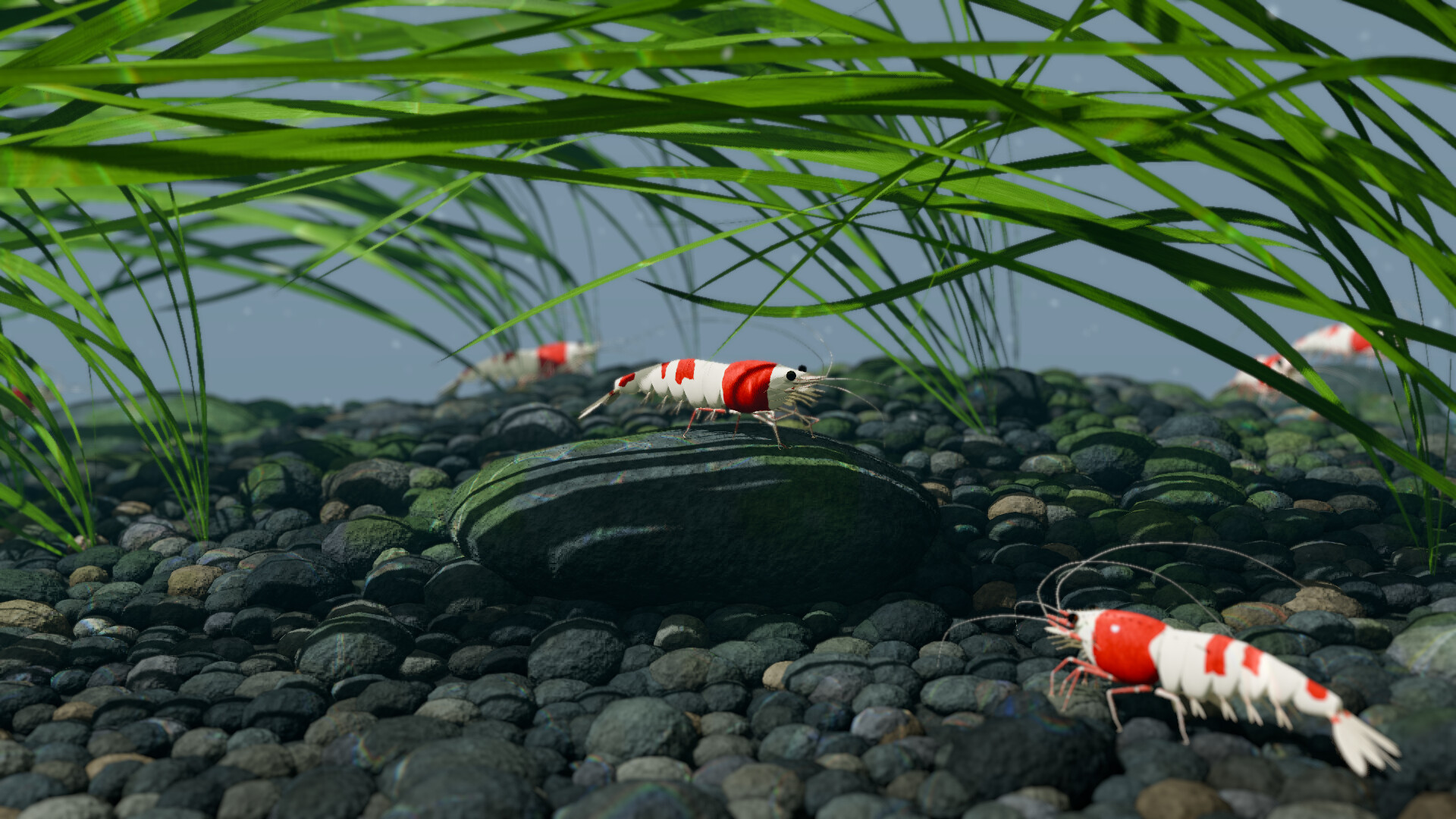
Customization in Bee Shrimp Aquarium is about presentation, not progression. There is no gear treadmill and no breeding tree. You adjust how many shrimp appear (up to a per-aquascape maximum), how they look across five patterns, two colors, and three sizes, plus background color and water sound volume. Master these options and every preset tank feels like yours. Start from Getting Started if you are brand new, keep camera skill sharp via Controls & Camera, and browse siblings from the Guides Hub.
Shrimp count and aquascape maxima
Each aquascape enforces its own maximum shrimp count. Dense hardscape or tighter compositions may cap lower; more open layouts may allow higher populations. Raise count when you want a lively colony and lower it when you care about tracking individuals in close-up. A practical approach:
- Begin near the middle of the allowed range on a new aquascape.
- Zoom to close-up — if shrimp constantly stack into unreadable clumps, step the count down.
- Frame wide — if the tank feels empty against wood, bonsai, or waterfall scale, step the count up.
- Feed once (Feeding & Interaction) to see how gathers look at that density.
Count is the fastest way to change energy level without leaving observation mode. Pair high counts with wide or medium viewpoints and lower counts with detail watching.
Five patterns, two colors, three sizes
Cosmetic axes are fixed and clear:
- 5 patterns — markings that read differently under bright versus moonlight
- 2 colors — choose contrast against moss, leaves, marimo, or wood
- 3 sizes — smaller sizes emphasize swarms; larger sizes reward close-ups of grooming and つまつま picking
Try one change at a time so you learn what your eye prefers. Pattern-heavy looks pop under bright lighting; softer combinations often look better under sunset or moonlight. When you settle on a favorite trio (pattern + color + size), keep it while you tour aquascapes so you are judging scenes, not constantly re-rolling cosmetics. Scene tours belong in the Aquascapes Guide; ranked favorites sit on Aquascape Rankings and Lighting Rankings.
Mixed colonies can be fun for screenshots, but a unified look usually reads cleaner on stream overlays and desktop wallpapers. If you showcase variety, use auto cycle across aquascapes rather than constantly remixing shrimp cosmetics mid-session (Tier List Hub for curation ideas).
Background color
Background color shifts the mood behind the tank glass without rebuilding the aquascape. Cooler backgrounds push a modern aquarium cabinet feel; warmer backgrounds echo sunset lighting; darker backgrounds help moonlight scenes feel deeper. Use background color to:
- Separate shrimp silhouettes from busy hardscape
- Match a stream overlay palette
- Reduce glare feel on bright monitors late at night
Revisit background color whenever you change lighting mode. A background that flatters bright noon lighting can look wrong under moonlight, and the reverse is also true.
Water sound volume
Water audio is a comfort control as much as an immersion control. Raise it when the tank is your only focus; lower it under music, podcasts, or voice chat. Some players mute water entirely and rely on visual motion alone. There is no gameplay penalty either way. Bundle audio choices with the presets on Best Settings so you are not reinventing comfort every launch.
Customization recipes
Clean desktop colony: Mid count, larger size, high-contrast pattern/color, medium framing, sunset lighting, water sound low, auto rotation on.
Detail ASMR watch: Low-to-mid count, larger size, bright lighting, close-up viewpoints, water sound moderate, manual camera, occasional feed.
Busy showcase tank: High count within the aquascape max, smaller size, mixed pattern experiments between sessions, wide framing, auto cycle across favorite aquascapes.
Night study companion: Mid count, softer color/pattern, moonlight, darker background, water sound very low, long auto-cycle interval.
What you cannot customize
You cannot freely place plants or rocks, breed new lineages, or manage water chemistry. Those limits are core to the product identity — confirmed across the Wiki facts. Customization stays inside shrimp cosmetics, count caps, background color, audio, lighting, and camera automation. Hardware limits remain on System Requirements. Patch notes that touch options will appear under Updates and Launch Notes. Community habits: Players. Promo fields: Codes.
Workflow: customize, then lock favorites
- Pick an aquascape you already like.
- Set count for readability.
- Choose pattern, color, and size.
- Match background color to lighting.
- Set water volume for the room you are in.
- Favorite the aquascape / lighting / viewpoint combo for auto cycle (Controls & Camera).
- Only then hop to another aquascape and repeat — otherwise you will tweak forever.
Treat cosmetics like wardrobe for a nature documentary: enough variety to stay fresh, enough consistency that the colony feels intentional. Once your defaults feel right, spend your time watching shrimp graze and groom instead of living in the options menu.
Frequently Asked Questions
Quick answers to the most common questions.
How many shrimp patterns, colors, and sizes are available?
You can choose from 5 patterns, 2 colors, and 3 sizes. Shrimp count is separate and capped per aquascape.
Why does maximum shrimp count change?
Each aquascape defines its own maximum. Adjust within that cap so the colony fits the scene’s scale and your framing style.
What do background color and water sound control?
Background color changes the mood behind the tank; water sound volume sets how present the audio bed feels. Neither unlocks gameplay systems.
Can I place my own plants and rocks?
No. Free placement, breeding, and water quality management are not part of Bee Shrimp Aquarium. You customize within preset aquascapes.
Any tips for stream-friendly customization?
Use a unified pattern/color for readability, prefer medium or wide framing, lower water sound under voice chat, and auto cycle a short list of favorite aquascapes.