Bee Shrimp Aquarium Feeding & Interaction Guide
Gather the colony with food, wake the tank with ripples, and pause when you need a still frame.
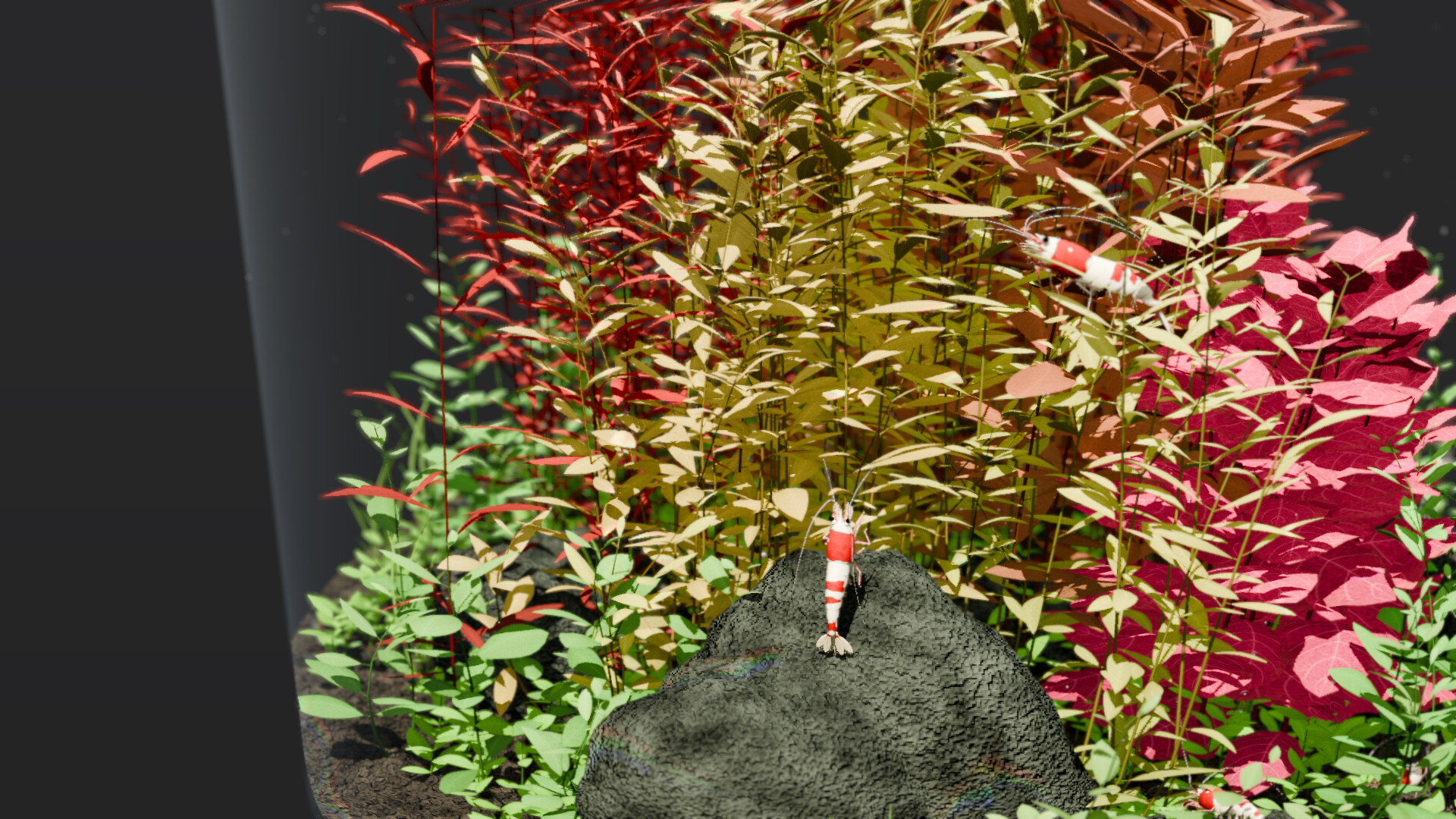
Interaction in Bee Shrimp Aquarium is intentionally light. You are not running a feeding schedule tied to growth stats, and you are not unlocking better food tiers. Instead, feeding pulls shrimp into a gather so you can watch group motion, clicking the water surface creates ripples and reactive movement, and pausing animation freezes the moment for screenshots or a static desktop look. This page explains when to use each tool and how they pair with camera work and aquascapes. New players should finish Getting Started first; camera details live in Controls & Camera. Browse every how-to from the Guides Hub.
Feeding: gather for group observation
Feed when you want shrimp to converge instead of scattering across moss, wood, leaves, or glass. Gathering makes it easier to:
- Compare patterns, colors, and sizes side by side after you customize them
- Fill a medium or close-up frame with active subjects
- Create a short “event” during a stream without leaving observation mode
Feeding does not start a breeding chain and does not change water quality — those systems do not exist here. Think of food as a spotlight button for behavior, not a survival meter. If the colony feels sparse on a large aquascape, raise count within that scene’s maximum in Customization, then feed once to re-center attention.
After you feed, resist the urge to constantly re-trigger. Watch the approach, the cluster, and the return to grazing (つまつま picking on moss and leaves). That arc is the entertainment. Use manual pan and zoom to follow stragglers, or enable a gentle auto rotation so the gather stays cinematic while your hands are free.
Water-surface ripples and reactions
Click the water surface to send ripples across the tank and prompt shrimp reactions. Ripples are perfect when the scene feels too still but you do not want a full feed gather. Use them to:
- Nudge idle shrimp into swimming or reorienting
- Add a visual beat under moonlight or sunset lighting
- Demonstrate responsiveness during a showcase or trailer-style clip
Combine ripples with wide framing when you want to see wave motion across an entire aquascape — especially waterfall and open layouts described in the Aquascapes Guide. Use close-ups when you care about an individual reaction more than the ripple graphic itself. Lighting changes how both water and shrimp read; check Lighting Rankings if you are building a favorite mood playlist.
Pause animation
Pause stops motion so you can compose a still. Useful cases:
- Screenshot a claw mid-pick on moss
- Align a bonsai silhouette without waiting for perfect timing
- Hold a clean desktop freeze while you step away briefly
Unpause when you are ready for sway, swim, and groom loops again. Pause pairs well with disabled auto rotation: freeze, micro-adjust pan, capture, then resume. If you stream, say when you pause so chat knows the tank is intentionally still — streaming remains allowed without permission, with more notes on Players.
Session recipes that use interaction well
Focus block (45–90 minutes): Start with medium framing, moonlight, auto rotation on, no feeds. Midway, click one ripple for a small refresh. Optional single feed near the end if you want a lively close before you quit. Audio guidance: Best Settings.
Showcase reel: Wide view, bright or sunset lighting, feed once for a gather, ripple once for water motion, then let auto cycle move across favorite aquascapes. Rank picks on Aquascape Rankings and the broader Tier List Hub.
Screenshot hunt: Manual camera, pause frequently, feed only if you need bodies in frame, prefer bright lighting for pattern clarity after Customization tweaks.
Overnight ambience: Avoid constant feeds and ripples. Let auto cycle and soft lighting carry the tank. Interaction spam turns a calm product into visual noise.
What interaction is not
Do not expect hunger timers, growth from food, breeding after gathers, or water parameter shifts after ripples. The design is observation-first: twelve aquascapes, three lighting modes, cosmetics, camera automation, feed, ripples, pause. Anything beyond that is outside the game. Hardware ceilings stay on System Requirements. Feature changes after launch appear under Updates and Launch Notes. Promo entries, if added later, will sit on Codes. Keep the Wiki page for the short rule set.
Pairing interaction with aquascapes
Moss and driftwood scenes reward close-up feeds because picking surfaces are everywhere. Bonsai layouts look great with a single ripple under wide framing so the silhouette stays readable. Marimo tanks pop when a gather clusters around the spheres. Fallen-leaf beds show color contrast when shrimp move after a ripple. Flowing waterfall aquascapes already have motion — use lighter interaction so you do not compete with the cascade. Tour each preset in the Aquascapes Guide and note which ones you prefer “busy” versus “quiet.”
Accessibility and comfort tips
If frequent motion bothers you, rely on pause and longer auto-cycle intervals instead of ripples. Lower water sound volume when feeds and clicks coincide with voice chat. Reduce shrimp count if gathers feel chaotic on smaller displays. Comfort presets and performance notes continue in Best Settings.
Interaction exists to punctuate observation, not to replace it. Feed for gathers, click for ripples, pause for stills, then return to watching bee shrimp do what they do best: graze, walk, swim, and groom in a tank that asks nothing else of you.
Frequently Asked Questions
Quick answers to the most common questions.
What happens when I feed the shrimp?
They gather toward the food so you can watch group motion up close. Feeding does not enable breeding or change water quality.
Why should I click the water surface?
Clicks create ripples and prompt shrimp reactions. Use ripples when you want a light motion beat without a full feed gather.
Can I pause the aquarium animation?
Yes. Pause to freeze motion for screenshots or a still desktop view, then unpause to resume swimming, grazing, and plant sway.
Do I need to feed on a schedule?
No. There is no hunger or growth system. Feed only when you want a gather for observation, streaming, or screenshots.
How do feeding and camera tools work together?
Feed to cluster subjects, then pan and zoom or use close-up viewpoints to study them. Auto rotation can keep a gather cinematic while your hands are free.