Bee Shrimp Aquarium Controls & Camera Guide
Frame grazing shrimp cleanly, then let auto rotation and auto cycle run hands-free.
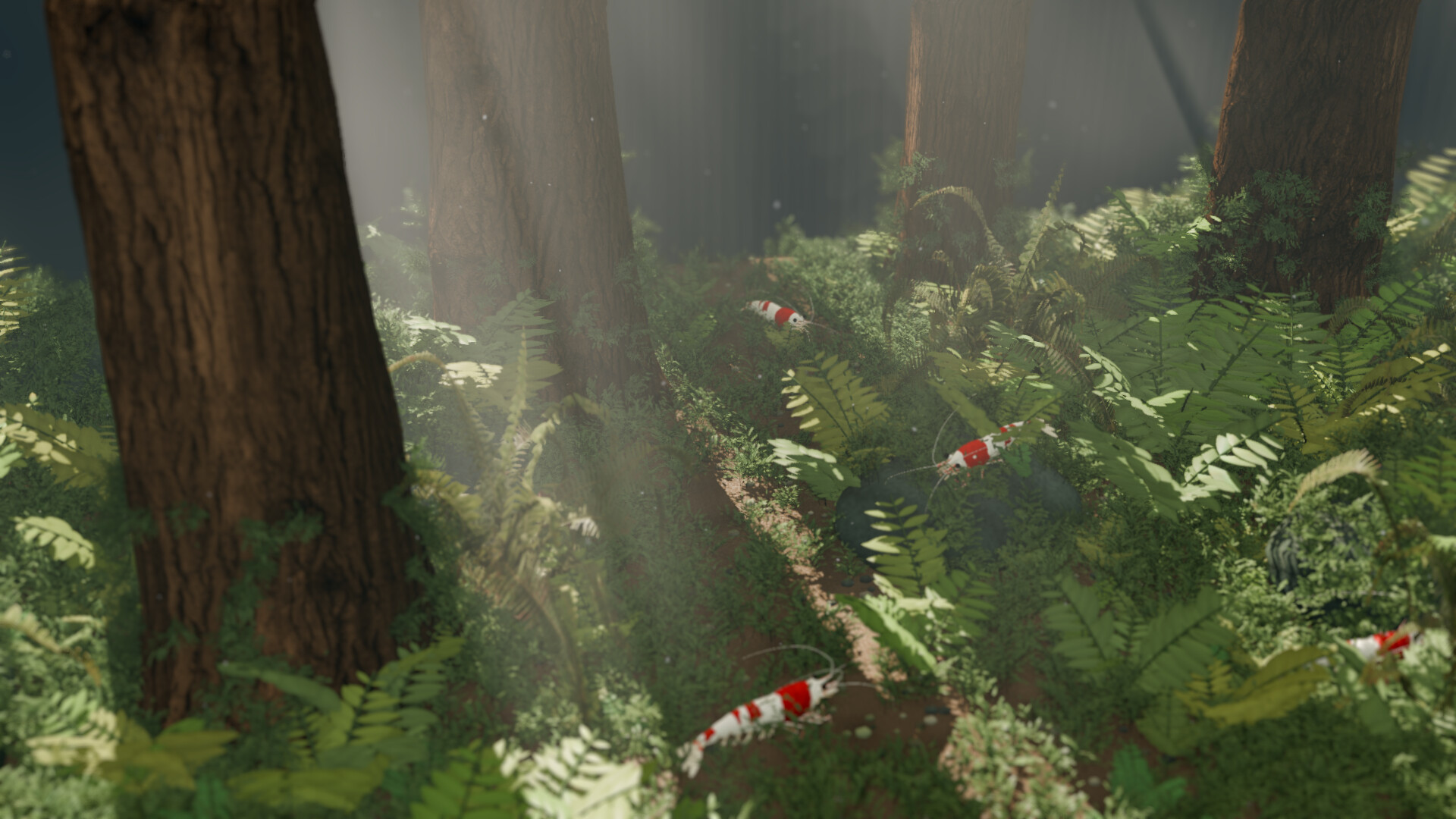
Camera craft is the main “skill” in Bee Shrimp Aquarium. There are no combos to memorize and no resource meters to babysit. Your job is to rotate, pan, and zoom until bee shrimp grazing, walking, swimming, and grooming read clearly, then optionally hand control to auto rotation or auto cycle. This guide covers framing distances, automatic tools, and how camera choices pair with aquascapes and lighting. If you still need install context, skim Getting Started first; for the full guide map, return to the Guides Hub.
Manual camera: rotate, pan, zoom
Use rotate to orbit the aquascape so moss, driftwood, bonsai silhouettes, marimo spheres, leaf beds, or waterfall flow sit where you want them in frame. Pan shifts the view without changing orbit distance — useful when a shrimp walks out of a close-up. Zoom moves between a full-tank read and a claw-level look at つまつま picking on moss or leaves.
Practice a slow orbit first on a mid-density shrimp count so individuals stay trackable. Then zoom in until you can see tiny claws work a surface, hold for a few seconds, and zoom out again. That in-and-out rhythm is what makes observation sessions feel intentional instead of random. When shrimp gather after feeding, you will already know how to reframe quickly — see Feeding & Interaction.
Wide, medium, and close-up viewpoints
The game supports wide, medium, and close-up viewpoint styles, especially when you set automatic cycling. Think of them as cinematic presets:
- Wide — sells the whole aquascape: waterfall motion, bonsai silhouette, leaf carpet, or moss-and-wood layout. Best for ambient desktop use and stream overlays where the tank is a background plate.
- Medium — balances scenery and shrimp groups. Ideal default for studying or light multitasking.
- Close-up — prioritizes individual grooming and grazing. Use when you want ASMR-like detail or screenshot moments.
Favorite a mix of distances so auto cycle does not stay locked on one scale. Pair wide views with dramatic aquascapes from the Aquascapes Guide, and save close-ups for mossy surfaces where picking reads best.
Automatic camera rotation
Enable automatic camera rotation when you want continuous gentle motion without touching input. Auto rotation is perfect for:
- Leaving the game up as a living wallpaper while you work
- Streaming ambience where your hands are on another app
- Reviewing how light wraps a hardscape as the orbit completes
Keep rotation speed subjectively slow enough that shrimp remain readable. If motion feels busy, drop to medium framing or reduce shrimp count in Customization so the eye has fewer subjects competing with the orbit.
Auto cycle: aquascape, lighting, viewpoint
Beyond simple rotation, you can automatically cycle favorites across aquascape, lighting, and viewpoint, with a configurable interval, and with wide / medium / close-up choices. Mark the scenes and moods you actually enjoy — not every unlock — then set an interval that matches your use case:
- Short intervals for showcase reels and variety while streaming
- Longer intervals for focus sessions where sudden scene cuts would distract
- Mixed lighting favorites (bright, sunset, moonlight) so the tank’s mood shifts over time
Opinionated lighting orderings live on Lighting Rankings; scene preferences live on Aquascape Rankings. The Tier List Hub explains how those lists are framed for ambience versus detail watching.
Lighting as a camera partner
Bright lighting clarifies plant edges and shrimp patterns for screenshots. Sunset warms wood and leaf tones and often photographs well for social clips. Moonlight softens contrast and is usually the best overnight or late-study companion. Changing lighting is as important as changing orbit: the same bonsai aquascape can feel like three different tanks. When you build favorite sets for auto cycle, include at least one entry per lighting mode so the playlist breathes.
Practical framing recipes
Homework ambience: medium view, moonlight or sunset, auto rotation on, water sound low (Best Settings).
Detail watching: close-up, bright or sunset, manual control, moderate shrimp count, feed occasionally to gather subjects.
Stream background: wide view, auto cycle across 3–5 aquascapes, longer interval, avoid constant close-ups that fight your facecam layout. Streaming is allowed without permission — see Players for community-oriented notes.
Screenshot hunt: pause when needed (covered under interaction), disable auto rotation, nudge pan until claws and moss align, then capture.
Troubleshooting camera frustration
If you feel “lost” in the tank, zoom out to wide, re-center on a landmark (waterfall, bonsai trunk, large wood piece), then ease back in. If shrimp vanish into décor, lower count or switch to a cleaner aquascape temporarily. If performance dips during orbit on higher settings, revisit System Requirements and Best Settings. Patch changes that touch camera behavior will be noted under Updates and Launch Notes.
Cross-links for a complete loop
Camera skill pairs with every other guide: customize looks so close-ups show pattern contrast (Customization), pick aquascapes that reward your preferred distance (Aquascapes Guide), and use feed or ripples when you want motion bursts (Feeding & Interaction). Promo experiments, if any, appear on Codes. For a one-page overview, keep the Wiki bookmarked beside this controls page.
Master manual framing once, then let auto rotation and auto cycle carry long sessions. That combination is the real endgame of Bee Shrimp Aquarium: a tank that looks intentional whether you are hands-on or completely hands-free.
Frequently Asked Questions
Quick answers to the most common questions.
What camera controls matter most in Bee Shrimp Aquarium?
Rotate, pan, and zoom are the core manual tools. Learn a slow orbit and a clean close-up of grazing before relying on automation.
What do wide, medium, and close-up viewpoints do?
They set framing scale for viewing and for auto cycle. Wide sells the whole aquascape, medium balances scenery and shrimp, and close-up highlights individual grooming and picking.
How does auto cycle work?
You favorite aquascapes, lighting settings, and viewpoints, then let the game cycle them on an interval you choose, including wide, medium, or close-up styles.
Should I use automatic camera rotation all the time?
Use it for ambience and streaming backgrounds. Switch to manual control when you want precise screenshots or to follow a single shrimp after feeding.
Which lighting mode is best for long sessions?
Moonlight is usually the calmest. Sunset is a warm middle ground, and bright lighting helps when you want maximum detail and pattern clarity.