Bee Shrimp Aquarium Best Viewing Settings
Desktop-friendly camera, lighting, sound, and favorites setup for long, calm shrimp-watching sessions.
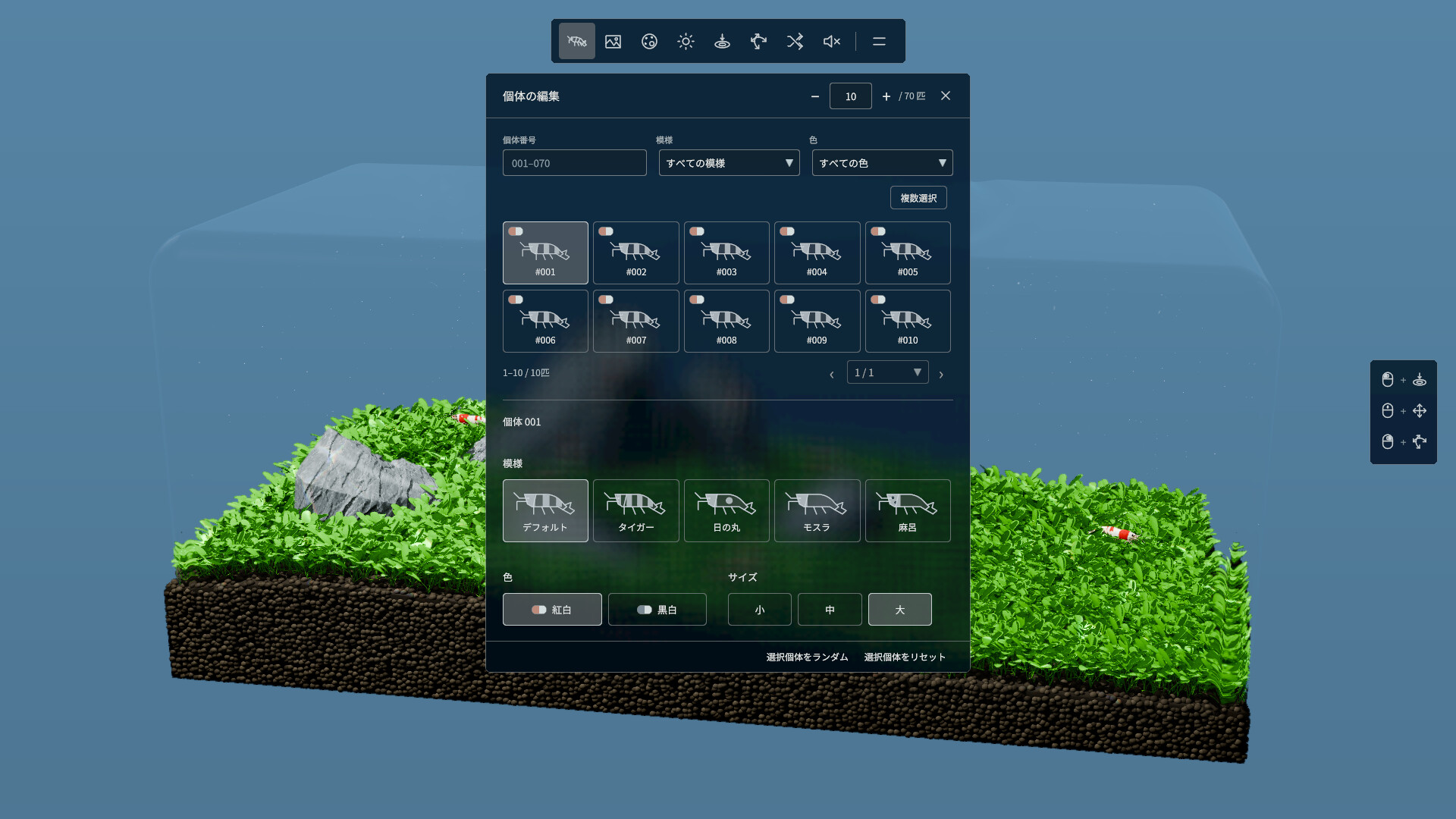
Bee Shrimp Aquarium shines when it disappears into your day as a living desktop companion. These best settings recommendations focus on comfort: readable shrimp, gentle transitions, sane audio, and lighting that matches the hour. They are not competitive graphics presets, because the game is an observation sandbox with preset aquascapes — not a benchmark suite.
Confirm your PC can run the title via System Requirements, learn the basics in Getting Started, then use this page as a comfort checklist. Camera fundamentals: Controls & Camera.
Recommended desktop display habits
Primary vs second monitor
- Second monitor wallpaper mode: borderless window, moonlight or sunset, medium shrimp density, longer camera intervals, water sound low.
- Primary focus mode: bright or sunset, slightly higher density, medium/close views when you are actively watching feed reactions.
- Laptop on battery: lower density, longer intervals, prefer moonlight at night to reduce glare.
Keep UI chrome from other apps from covering the tank’s focal subject (waterfall sheet, bonsai silhouette, marimo cluster). Scenic picks: Aquascape Rankings.
Brightness and room light
Match in-game lighting to the room:
- Morning / well-lit office → bright
- Late afternoon → sunset
- Night desk → moonlight
Full mood write-up: Lighting Rankings. If moonlight makes patterns vanish, switch to higher-contrast patterns or larger sizes in Customization.
Camera intervals and auto views
Auto camera and random favorites cycling are the heart of idle play. Suggested starting points:
| Use case | Interval feel | View width | Notes |
|---|---|---|---|
| Deep work companion | Long / infrequent switches | Wide or medium | Avoid constant hard cuts |
| Active watching | Medium | Medium / close | Better for claw detail |
| Guest showcase | Medium | Wide | Let waterfall/bonsai read clearly |
| Screenshot hunt | Manual (auto off) | Close | Pause on grooming frames |
Practical tips:
- Favorite only aquascapes you truly like — three strong favorites beat twelve noisy ones.
- Attach lighting preferences per favorite when the workflow allows, or keep a day playlist and a night playlist.
- Include at least one close-up slot if you care about antenna and claw animation.
- If switches feel dizzy, lengthen the interval before you blame performance.
More camera literacy: Controls & Camera. Aquascape context: Aquascapes.
Sound recommendations
Water ambience sells the tank, but it can fight podcasts, calls, and music.
- With music: water volume low, almost textural
- Solo relaxation: medium water volume, no competing playlist
- Streaming: keep water audible but not masking your mic; compress lightly in your streaming tool if needed
- Office shared space: very low or muted water; rely on visuals
Streaming is allowed per store policy — see Launch Notes and Steam & Demo Hub.
Shrimp density, patterns, colors, sizes
- Start medium density for readability; raise only if motion still feels sparse.
- Use mixed sizes near hero props (bonsai trunk, waterfall edge) for scale storytelling.
- Pick patterns that contrast your aquascape colors; moonlight needs bolder contrast.
- Two colors are enough to create gentle variety without chaos — alternate across favorites if you like.
Details: Customization. Interaction loops: Feeding & Interaction.
Lighting recipes that just work
- Workday loop: moss and driftwood + bright → marimo + bright → bonsai + sunset
- Evening loop: waterfall + sunset → fallen leaves + sunset → bonsai + moonlight
- Overnight idle: marimo + moonlight → quiet sparse scene + moonlight → moss + moonlight
- Screenshot loop: manual camera, bright for catalogs, sunset for portraits, moonlight for mood stills
Tier context remains optional opinion: Tier List Hub.
Performance-friendly viewing
If hitching appears:
- Reduce shrimp count before touching anything else
- Lengthen auto intervals
- Close unused capture software
- Verify thermals and power plans on laptops
- Re-check the floor specs on System Requirements
Remember launch scope: no breeding sim, no water-quality sim, no free placement editor. Settings pages cannot unlock those systems — they are intentionally absent. Expectations: Review Hub.
Ten-minute setup routine
- Pick three aquascapes.
- Set lighting for each mood you care about today.
- Choose medium shrimp density and a clear pattern.
- Set background color that does not crush silhouettes.
- Dial water sound under your usual audio.
- Enable auto camera with a long interval.
- Watch for five minutes without touching anything.
- Adjust only one variable at a time (density or interval or light).
- Save mental notes for morning vs night profiles.
- Bookmark Best Settings and Tools Hub for the next PC move.
Related pages
Comfort beats maximalism. The best setting is the one you can leave running without fidgeting.
Frequently Asked Questions
Quick answers to the most common questions.
What camera interval should I use for work?
Prefer longer intervals with wide or medium views so the tank stays calm beside documents.
Which lighting is best for night?
Moonlight is the usual comfort pick. Raise pattern contrast if shrimp become hard to see.
Should water sound be loud?
Usually no for office or music multitasking. Keep it low and textured unless you are focusing only on the aquarium.
How many aquascapes should I favorite?
Two or three strong favorites typically beat cycling everything. Quality over quantity for idle play.
Can settings unlock breeding?
No. Breeding, water quality, and free placement are outside launch scope. Settings only change presentation and comfort.